A brand of your own.
Choose Paper or Luxe, adjust your colors and branding, and publish your own content pages. Both themes support light and dark modes.
Give visitors an address for the moment.
Give yourself a platform built to run it.
Your server. Your domains. Your brand.
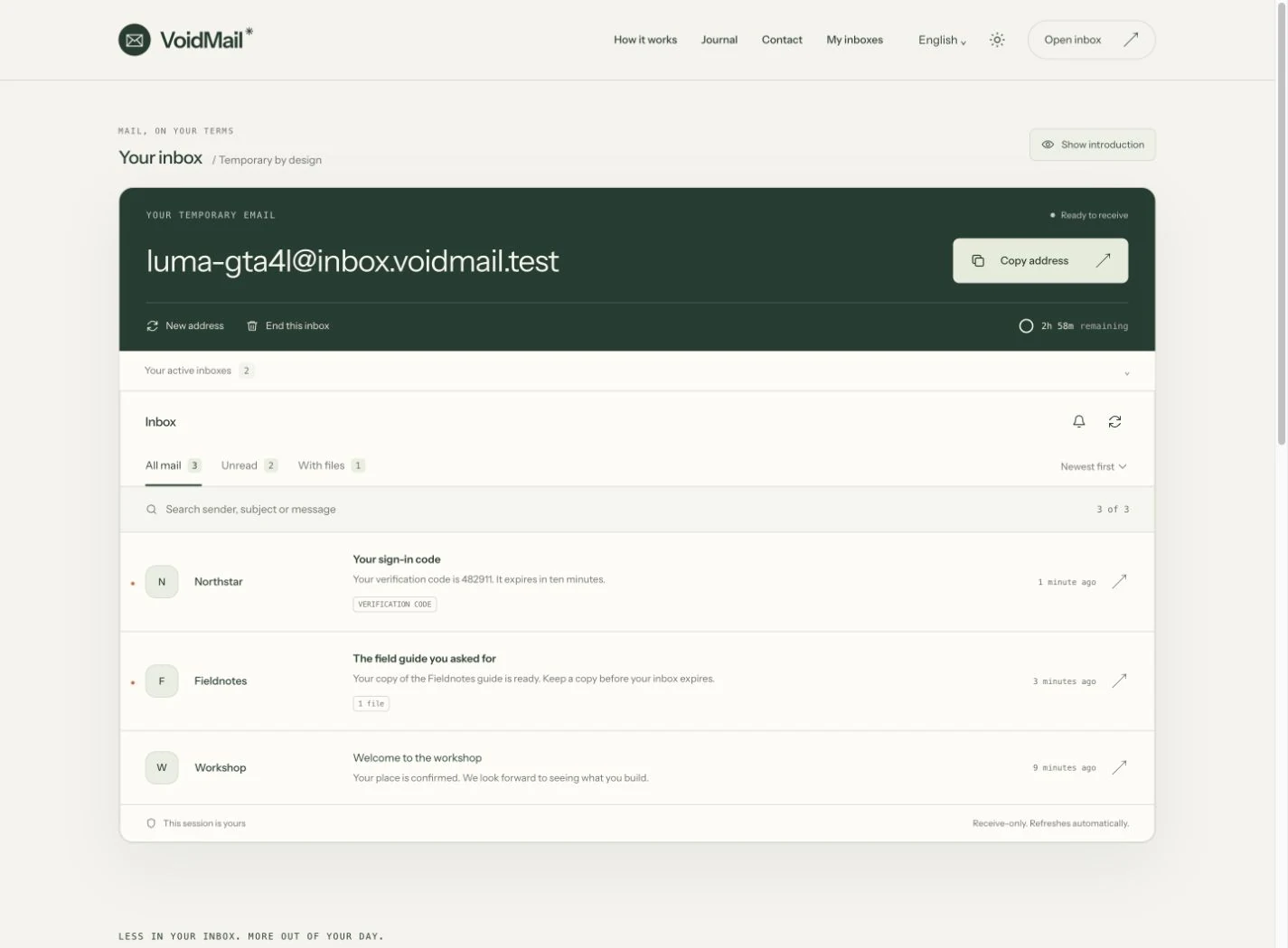
Copy an address. Find the code. Save the file. Switch between active inboxes without losing your place.
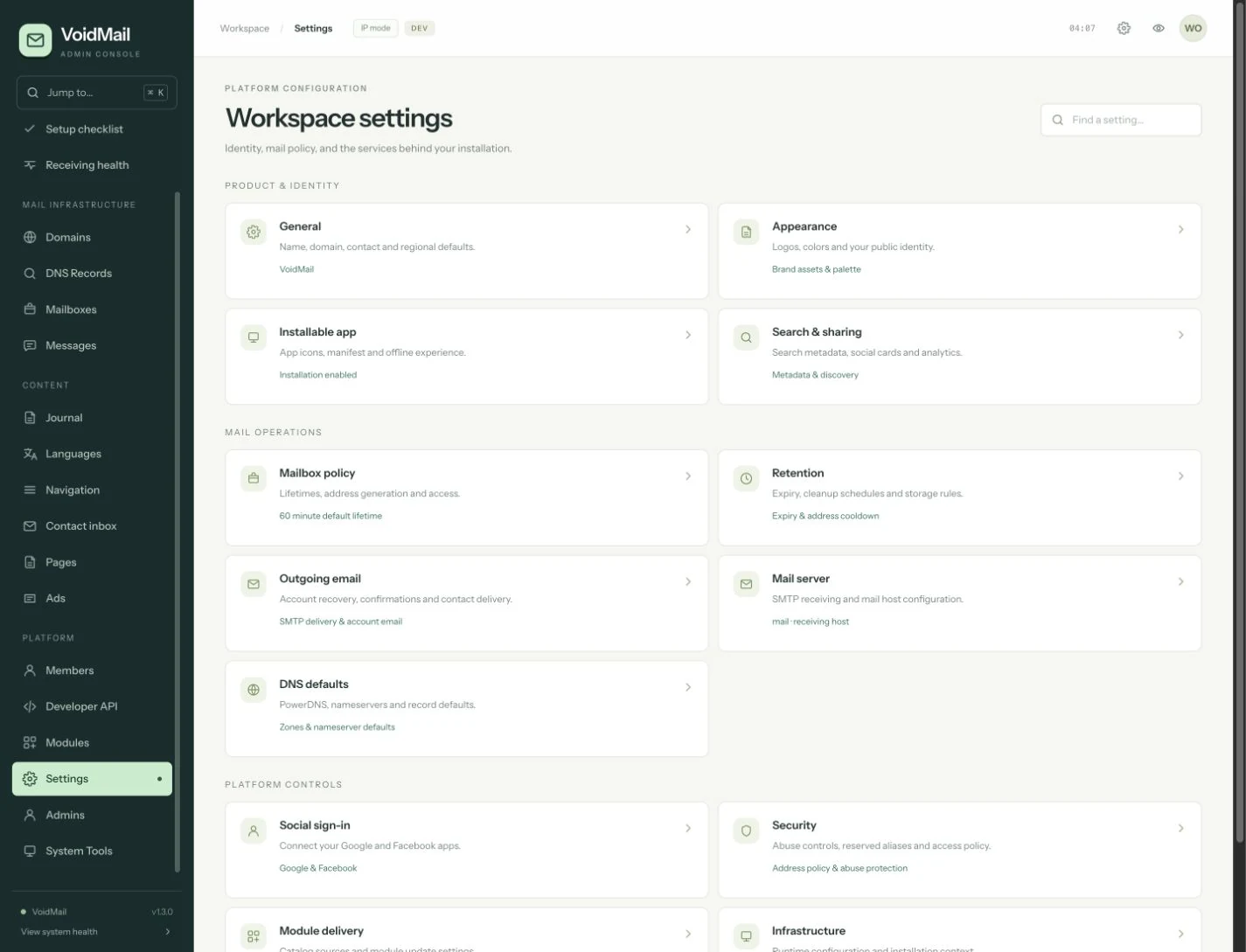
Mail operations, publishing, accounts and configuration. A working console with searchable navigation and clear next steps.
One command opens the installer. Add your license, domain and operational email. The guided setup configures the application and its services.
Open the installation guide ↗$ bash <(curl -fsSL https://install.voidmail.email/install.sh) 01 Verify your license 02 Configure your domain 03 Install the application 04 Check the services and assets 05 Create your admin account One setup. Safe updates after that.
The parts you need to operate a temporary-email service, brought together in a single product.
Choose Paper or Luxe, adjust your colors and branding, and publish your own content pages. Both themes support light and dark modes.
Manage receiving domains, inspect messages and attachments, check mail health, and see where an operation needs attention.
Configure inbox expiry and retention, manage cleanup, and keep attachments behind the same ownership checks as their messages.
Multiple domains, active inbox switching, verification codes, attachments and whole-email downloads.
Member inboxes, account recovery, session controls and members-only domains. Connect Google or Facebook sign-in.
A journal, content pages, menus, contact inbox and translation tools with support for right-to-left languages.
Two public themes, child themes, ad placements and bundled Users and CAPTCHA modules.
Scoped API keys, isolated API inboxes, rate limits and SMTP configuration for account email.
A launch checklist, receiving checks, administrator two-factor security, activity history and versioned updates.
Host the application on your own VPS and manage it through the admin workspace. Installation runs once; updates preserve your existing configuration and data.
Read the documentation ↗Check that your VPS provider allows incoming mail before choosing a server.
VoidMail is software for running your own temporary-email service. The live demo shows the visitor experience. Your installation runs on your server, under your domains.
Yes. The application includes the admin workspace for domains, mailboxes, messages, health checks, appearance, content, advertising, modules and system operations.
The temporary inbox is receive-only. Visitors can read received messages and download permitted attachments; it is not a sending mailbox.
No. The installer runs on the server once. After installation, the website and background services run normally. Later releases use the update command and preserve your installation.
The CodeCanyon listing is being prepared. A purchase link and license details will be added here when available. You can explore the live demo and documentation now.
The CodeCanyon purchase link will appear here after listing approval.